Jeremy's GP Text Book
By Jeremy Moskowitz former Group Policy MVP & Lead Trainer



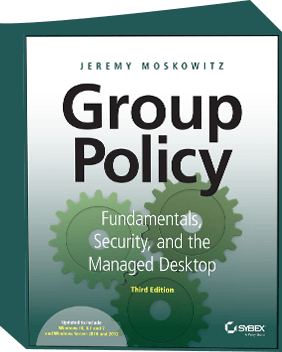
This is the “Industry Standard” book that practically all Active Directory and Group Policy administrators have on their desks, right now. In this fully revised edition, Jeremy covers all updates to Windows 10 and 2016 and includes all the most important items for older operating systems.
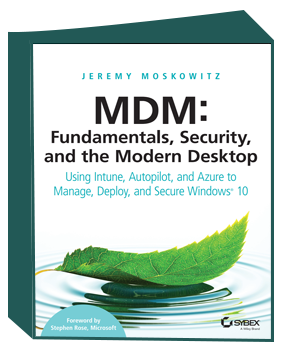
Jeremy spent nearly a year researching and testing to bring you this book ! This is the first book on how to use an MDM service, like Intune to bring modern management to your company. If you want to augment and add to your on-prem infrastructure for more power, or rip-and-replace what you already have, this is the book for you.
This book gives you chapter-by-chapter, step-by-step directions on how to get started with Azure AD, Intune, and Autopilot. Learn how MDM is similar (but very different) than Group Policy, how to roll out and troubleshoot MDM and Intune, and quickly roll out new machines with Autopilot. Along the way, keep your users' data safe in OneDrive, remotely deploy software, and nuke or refresh a machine from the comfort of your desk. Without this book, you'll be in the dark where to start. This book is your flashlight.
Foreword by Stephen Rose from Microsoft
By Jeremy Moskowitz former Group Policy MVP & Lead Trainer
By Jeremy Moskowitz former Group Policy MVP & Lead Trainer

By Jeremy Moskowitz former Group Policy MVP & Lead Trainer
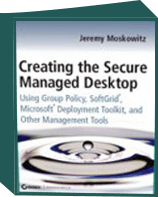
By Jeremy Moskowitz former Group Policy MVP & Lead Trainer
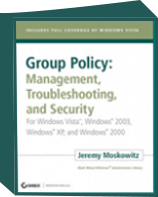
By Jeremy Moskowitz former Group Policy MVP & Lead Trainer

By Jeremy Moskowitz former Group Policy MVP & Lead Trainer
“Your Group Policy Fundamentals, Security, and Troubleshooting Book Rocks, Sir! Keep up the excellent work! One thing a like about your style of writing is with my job I am working on various projects at the same time but because of your ability to explain the subject matter, I can put the book down and pick it back up when time allows and I feel like I never put it down. Good job!!”
MCSE Systems Administrator, Royal Canin USA, Inc
Jeremy Moskowitz books are easy to read. He gives you great examples.
Awesome book. Great read and very informative. I’ve been using it as a reference ever since. Keep up the great work Jeremy!
If I could give this book 10 stars I would. When I read the first couple of pages, I knew this was just the book I was looking for. The book was not boring and every chapter has something useful. I have finally figured out why some of my group policies were not functioning properly and the [desktop management chapters were] awesome. If you don’t have this book please purchase this book as a reference or a problem solver.
This book is, without a doubt, the best technical reference book I’ve ever read. The concepts are explained clearly and thoroughly. The examples are relevant to almost every production environment. Want to know how to get the most out of the new GPMC? It’s explained in detail in the book. Not sure how you can handle printer mappings through GP? It’s in the book, with a real world example and a VB script to help out. Need help determining how to handle profiles and folder redirection? There are entire chapters dedicated to this very topic. If you are struggling with how to make use of Group Policy to manage your desktop and server environment, BUY THIS BOOK. NOW!!!!!
(who went on to help me with the 5th edition of the book)
This is an absolutely awesome book. Right away I was able to easily understand why some of my group policies weren’t working and it explained why it takes so long for some PC’s to get assigned software. I highly recommend getting this book if you are going to be creating Group Policies. It’s a must have!!!
This is the book to have if you need to implement Group Policy in your organization or even if you just want to find out how Group Policy really works. There is nothing out there like it.
I can’t tell you how many hours I have spent pouring over Microsoft Technet documents and other technical publications reading a paragraph here and a paragraph there, in order to produce just a piece of a solution using Group Policy. This book has everything you need written in a fresh and interesting style. It is the first technical book I have read cover to cover and I have been in the business for over 15 years!
THIS book has exceeded my expectations. It has already solved/answered many problems/questions I’ve had about GP and AD. It is a one stop problem solver. Given all the 5 stars I saw in the reviews before I bought the book, I thought maybe the publisher had padded the reviews. Not so. This is a must have. It covers the basics and more advanced topics of GP, which is something I needed. An example problem I had: We use Roaming Profiles. We have three remote offices and sometimes printers wouldn’t install when a user went from a remote office to our home office. We also needed a way to automatically reset the default printer when a user roamed to a machine in another office. Page 132-133 of this book tells how to do that with a 5-line script. [This book] deserves more than 5 Stars!
This book uses any Group Policy knowledge you may think you already have and expands it by 1000% (technically impossible I know but you get my drift!). It’s a pleasure to read and the author’s knowledge and devotion to the subject come shining through. If you need to design or support Group Policy then you must buy this book.
I also agree with the other reviewers that this book is an absolute MUST for any Windows administrator. It’s easy to read & reference no matter what your level of expertise with GPOs. It’s helped me out on more than a few occasions. What more can be said that hasn’t yet? If you work with GPOs you MUST have this book! Thanks for a great book Jeremy!